Two Chat Interface Designs
Every organisation has a unique way of interacting with its audience. To ensure your Genie aligns with your brand’s personality and the specific needs of your users, you can choose between 2 distinct interface designs: Conversational and AI Assistant.
While both designs provide access to the same powerful Knowledge Base and citation logic, they offer different visual experiences suited for different use cases. You can switch between these designs at any time via the General Settings in your Genie dashboard.
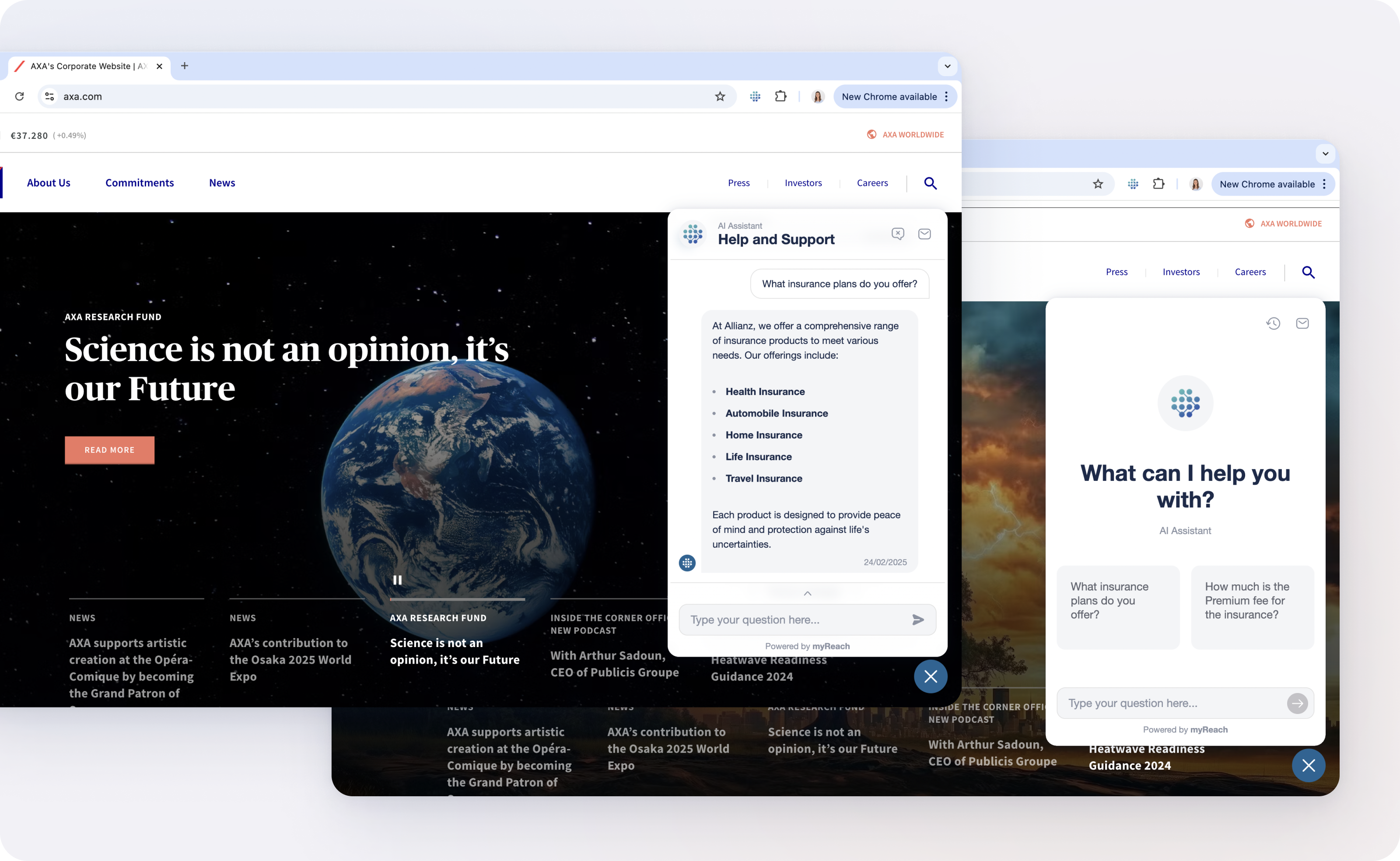
Conversational Design
The Conversational interface is the "classic" chat setup. It's designed for familiar, rapid interactions that mimic popular messaging apps.
-
The Layout: Uses traditional text bubbles to clearly separate user queries from the AI’s responses.
-
Initial Greeting: Features a customisable first message or "initial greeting" that opens up the conversation.
-
Best For:
-
Customer Support: Providing a friendly, approachable feel for users on your website.
-
Quick Q&A: Perfect for straightforward queries where the user wants a fast, direct answer in a familiar format.
-
Initial Greeting: Features a customisable landing screen or "initial greeting" that sets the stage before the conversation begins.
-
Assistant Design
The Assistant interface offers a more immersive, full-screen experience. It's designed to feel like a dedicated information hub or a professional research tool.
-
The Layout: An expansive, informative layout that moves away from text bubbles in favour of a structured, document-style presentation.
-
Key Feature - Recommended Questions: This design is the only one that includes Recommended Questions, providing users with three context-aware suggestions to deepen their research, after every question.
-
Initial Greeting: Features a customisable landing screen or "initial greeting" with logo and recommended questions to ask the chat. This sets the stage before the conversation begins.
-
Best For:
-
Internal Knowledge Hubs: Providing team members with a professional workspace to query complex company manuals or project data.
-
In-Depth Research: Ideal for users who need to process large amounts of information and explore related topics via suggestions.
-
Desktop Experiences: Makes full use of available screen space to display sources and references alongside the text.
-
How to Change Your Design
Switching your interface does not affect your Knowledge Base, your Workspaces, or your AI training. It simply changes how that information is presented to the end-user.
-
Navigate to your Genie Dashboard.
-
Go to the Settings tab.
-
Select General Settings from the sidebar.
-
Toggle between Conversational and Assistant under the "Chat Interface" section.
-
Click Save and test the new look in your Genie Preview (the "Test" button in the top right of the screen).