Websites
Make the web part of your content. Save articles, blogs, videos, products and much more. Avoid countless tabs and bookmarks.
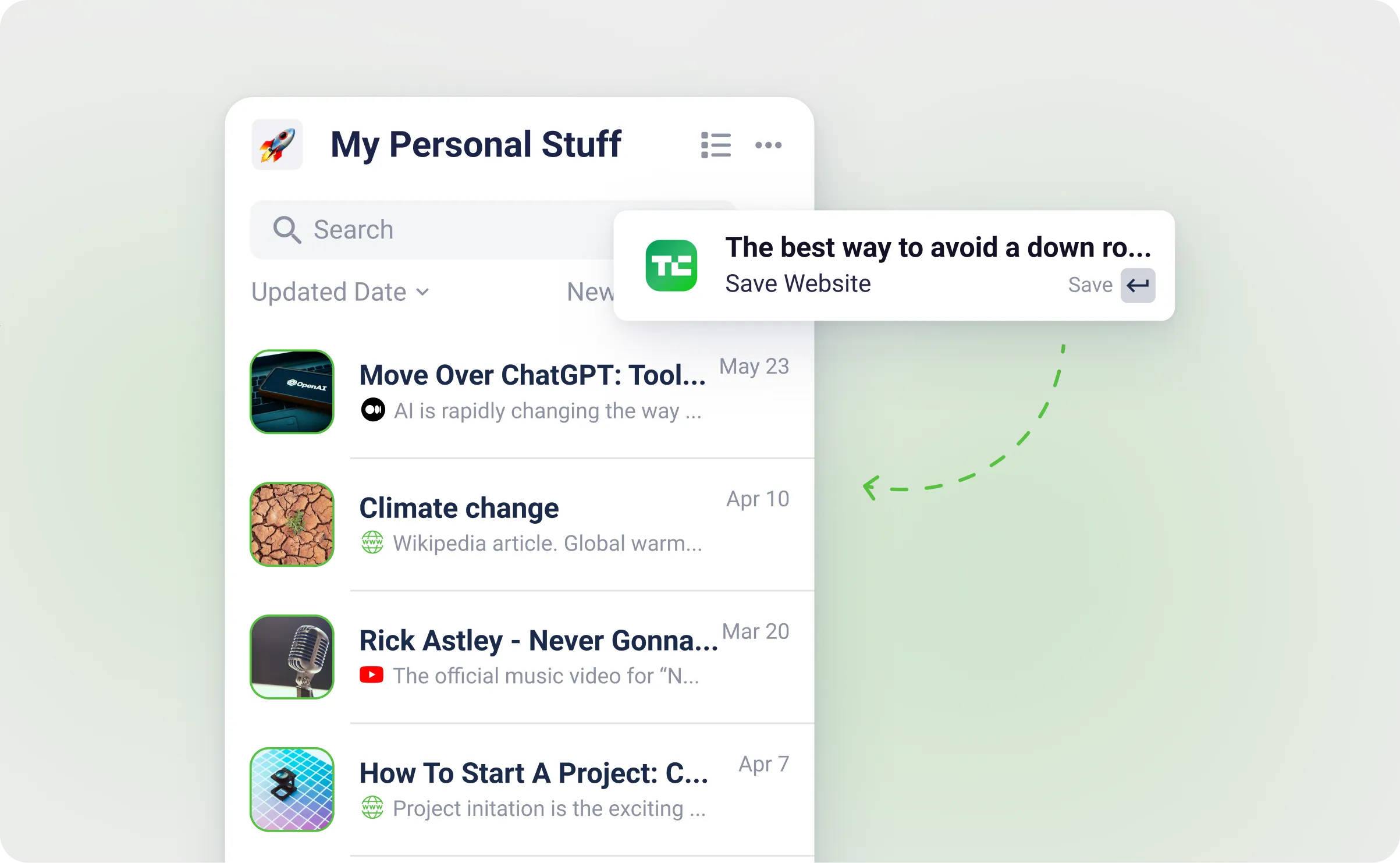
How to create a Website
-
Using the "Create" Option: Select the "Create" or "+" option in the App. Here, you can provide the link or URL of the website you want to save.
-
Integrating with Tools: myReach seamlessly integrates with various tools and platforms, including browser bookmarks, Zapier, database imports and Pocket among others. These integrations allow you to easily import and manage websites from these sources, streamlining your workflow.
-
Share to App - on Mobile: You can also share websites directly from your browser with the “Share” function. Whether it's a YouTube video, a blog post or any web page, click “share” to myReach to save the website to myReach.
-

Using the Browser Extension: Install the myReach Browser Extension from (Google Chrome or Firefox). You can then save websites from anywhere, with two clicks (for example, command+M in Mac). This shortcut is customisable to your preference.
While browsing a website, open the extension with two clicks and save the entire page as a node in myReach. This extension makes it convenient to archive websites you find valuable directly from your browser.
Alternatively, to save a link within a website, right-click on the link and choose the option to save it as a website in myReach. This feature simplifies the process of capturing and organising web content.
Features
-
Content Extraction: myReach automatically extracts the content of the website and cleans the HTML to keep only the key content. This allows you to ask questions about it to the AI-powered Cht, or create a Note with the extracted content.
-
PDF Extraction: If the website contains any documents, they are automatically extracted and created as a File Node, with a relationship linked back to the website.
-
Keep it Connected: Create a visual database of your ideas by linking websites to projects, people and documents. You can view these connections as a list, or in a 3D graph with connections. This enhances your organisation and knowledge management.
-
Recommendations: Similar to any Node, in the “+” button in the "relationships" tab of a saved website, there is a "recommended" tab. Use this to leverage AI-powered recommendations that analyse the website's content to identify relevant Tags and suggest relationships with other items. This streamlines the categorisation and connection of information.
-
Import Your Bookmarks: Organise your browser bookmarks in myReach Workspaces and establish connections with your ongoing projects, documents and other data.
-
Browser Extension: Simplify the process of saving and searching for websites with the myReach browser extension. It provides one-click access to archiving and referencing online content.
-
Sort & Filter: Easily sort and filter your saved websites based on specific filters, including importance, author, domain, tags, status and more. This helps you search and retrieve your content with more ease.
-
Website Domains: When you save a website, the domain is automatically saved as a separate node and a relationship is created.
Website options
In the 3 dots button on the top right of the screen in the App, there are multiple options and functionalities. Here is a breakdown:
-
Change Cover Picture: Customise the visual representation of the website by selecting a different cover picture, making it easily recognisable and visually appealing.
-
Rename Item: Modify the name of the website to ensure it accurately reflects its content or purpose, helping with better organisation.
-
Open Website: Access the website directly from within myReach.
-
Content Successfully Learned: When a node is created, our AI learns the content of the node.
If the node is learned the text is "Content Successfully Learned".
If not learned then the text is "Get AI Assistant to learn the node".
-
Node Category: Adjust the category of the node to better classify and organise your information within myReach.
-
Preview Website Content: Get a quick preview of the website's content without having to leave myReach. This feature is especially useful for assessing website content at a glance.
-
Re-process Website: Clicking on this will update the website content without starting from scratch, ensuring you always have the most current information at your fingertips.
-
Website Subpages: Clicking on this will take you to Website subpages import.
-
Category Settings: Access and customise settings specific to the category assigned to the node, such as properties preferences.
-
Copy Node URL: Share the website by copying its unique URL, allowing others to access it directly, facilitating collaboration and sharing of online resources.
-
Useful Tips: Gain valuable insights and tips about effectively managing and using websites within myReach to optimise your organisation and workflow.
-
Send to Trash: If you no longer need the website, easily move it to the trash for safe disposal or archival, keeping your workspace clutter-free and organised.