Recommended Questions
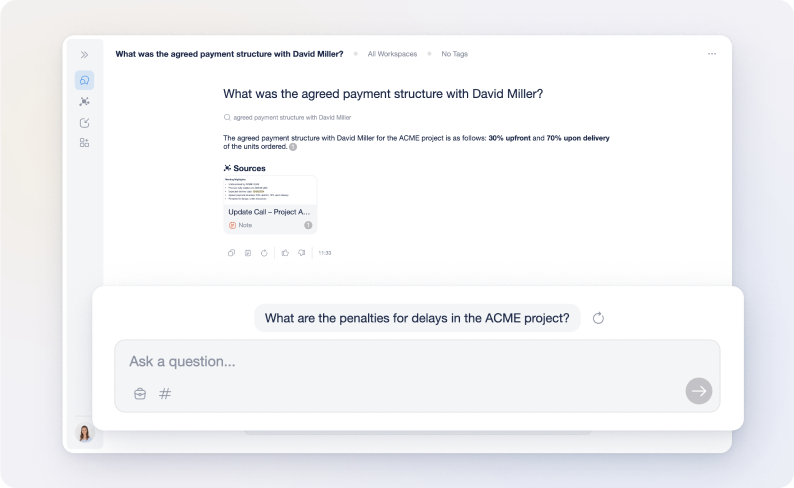
To provide a more fluid and discovery-driven experience, the Genie can proactively suggest what the user might want to ask next. These Recommended Questions appear after the Genie has provided an answer, offering 3 contextually relevant prompts based on the current conversation.
This feature is designed to help users (whether they're customers exploring a product or team members researching a project) uncover deeper insights without having to think of the next query themselves.
Enabling Recommended Questions
The appearance of Recommended Questions depends on your Genie's interface configuration.
-
Required Design: This feature is exclusive to the "Assistant" design setting.
-
Conversational Mode: If your Genie is set to "Conversational" (a more traditional, chat-like interface), these recommendations will not appear.
-
Where to change: You can adjust the design layout in the Customisation section of your Genie's settings.
The User Experience: 3-Question Suggestions
After the Genie delivers a response, it automatically generates 3 unique questions at the bottom of the chat bubble.
1. Contextual Intelligence
The suggestions are not random; they're generated in real-time based on the specific content of the user’s last question and the Genie’s answer.
Example: If a user asks about "Subscription Plans" the Genie might recommend:
- "What are the benefits of the Premium plan?"
- "Is there a discount for annual billing?"
- "How do I cancel my subscription?"
2. One-Click Interaction
Users can simply click on any of the 3 suggested questions to immediately send it to the Genie.
The Benefit: This reduces "search friction", keeping the user engaged with your Knowledge Base for longer and helping them find answers they might not have known to look for.
Ensuring Accuracy
Since the Recommended Questions are based on the same Grounded AI logic as the AI Assistant, they will only suggest paths that your Knowledge Base can actually answer. This ensures that the user isn't led into a "dead end" where the Genie suggests a question it doesn't have the data to resolve.
Benefits for the Organisation
-
Increased Engagement: By suggesting the "next step", you keep users interacting with your Genie for longer periods. You can notice an increase in "Average Messages / Chat" in the Statistics section of the Genie's dashboard.
-
Discovery of Content: It helps highlight parts of your Knowledge Base that users might otherwise miss.
-
Improved User Satisfaction: Users find the information they need faster and with less manual effort.