Creative Chat Mode
While the myReach Assistant is primarily designed to provide fact-checked, cited answers from your data, there are times when you need more than just a summary.
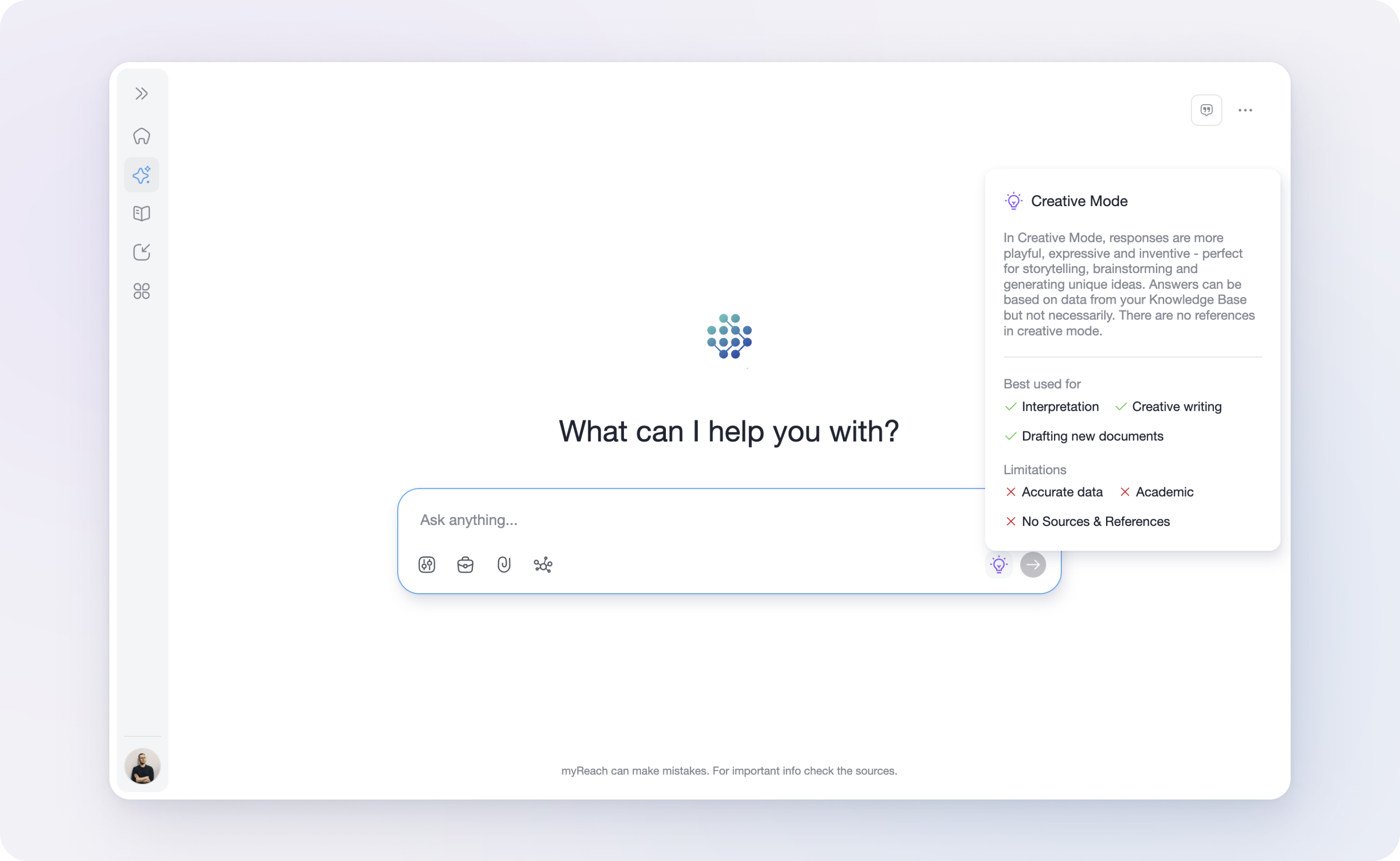
Creative Mode shifts the AI's behaviour from strict information retrieval to expressive generation.
In this mode, the Assistant becomes more playful, inventive and expressive. It's designed to help you think outside the box, using your Knowledge Base as a springboard for new ideas rather than a rigid boundary.
📝 Note: Creative Mode is currently available exclusively within Assistant chats for internal use and is not a setting for external Genies.
When to use Creative Mode
Creative Mode is your go-to tool when the goal isn't "finding a fact", but "building something new". It's best used for:
-
Brainstorming: Generate unique ideas, project names, or marketing concepts based on a specific theme.
-
Drafting New Documents: Quickly create first drafts for emails, speeches, or articles.
-
Interpretation: Look at your existing data through a different lens or ask the AI to explain a complex concept using a creative analogy.
-
Creative Writing: Perfect for storytelling or developing narrative content.
Key differences & limitations
Because Creative Mode prioritises "inventiveness", it behaves differently from the standard Assistant mode. If you're using Creative Mode, please keep in mind the following:
-
No Sources or References: Unlike standard mode, the Assistant will not provide in-text citations or links to your files in Creative Mode.
-
External Knowledge: Answers can be based on your Knowledge Base, but the AI will also draw on its own creative training to fill in gaps.
-
Data Accuracy: This mode is not intended for academic work or tasks requiring 100% data accuracy. It's prone to "imagining" details to keep the creative flow going.
Examples of Creative Mode in action
Example 1: Marketing
"Based on my notes about the new polymer product, write three catchy slogans that sound futuristic".
Example 2: Strategy
"Imagine a scenario where our expansion project faces a sudden 50% budget cut. Write a story about how our team overcomes this using the strengths mentioned in our team bios".
Example 3: Communication
"Draft a fun, rhyming invitation for the office summer party based on the event details in my 'Social Committee' folder".
"Draft a brief email to all company staff asking them to book their hotel for the upcoming Global Summit. List the dates, prices and options. Add, wherever possible, direct links in the text"